
You stay in the loop, without hovering
The Kids Gate is built on a simple promise: your child gets the fun, you get the facts.
Your dashboard, annotated
Tap any area to see what it tells you, then switch between the Activity and Performance views.
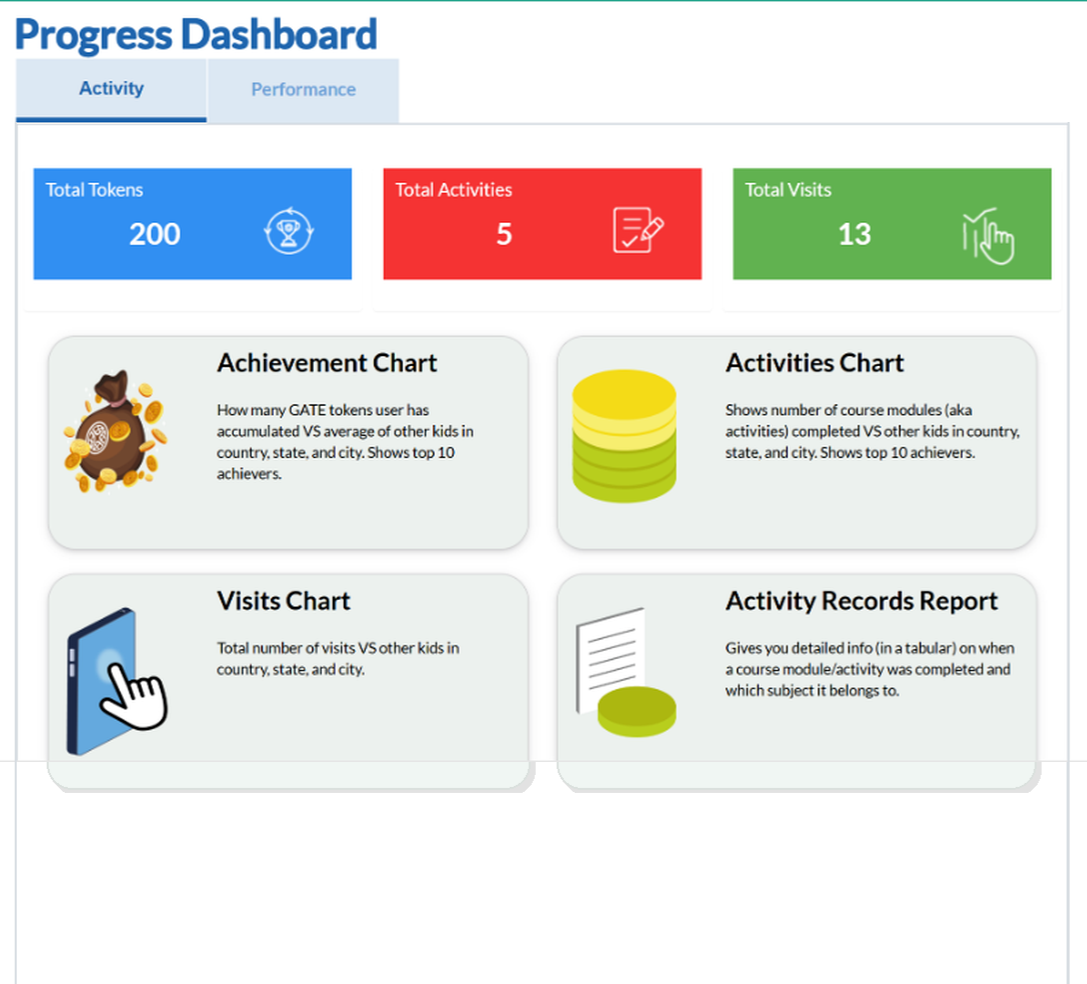
A quick snapshot: GATE tokens earned, activities completed and total visits.
How many GATE tokens your child has earned versus the average for other children in your country, state and city, including the top ten achievers.
The number of course modules completed versus other children in your country, state and city, showing the top ten achievers.
The total number of visits compared with other children in your country, state and city.
Detailed, tabular records of when each module or activity was completed and which subject it belongs to.
Up to six children, one account
Each child gets their own profile, their own path, their own rewards, and you see them all in one place.
-
Individual profiles
Separate progress, levels and rewards for every child.
-
Different subjects per child
One child can study both subjects while another does just Maths.
-
Fair family pricing
Additional children get discounted rates, see the pricing page.
The little things that make life easier
Thoughtful extras built around how real families actually use The Kids Gate.
-
Cancel Any Time
No lock-in contracts. Cancel your subscription at any time directly from your account settings.
-
Weakness Alerts
Flag topics where your child needs extra support so you can step in or discuss with their teacher.
A walled garden, in the best way
-
Completely ad-free
No advertising of any kind, anywhere in the app.
-
No contact with strangers
No open chat, no public profiles. Your child's name and progress stay private.
-
You hold the keys
Subscription, profiles, daily screen-time limits and settings all live in the parent account.
Up and running in four easy steps
From sign-up to your first progress report, here's exactly how it works.
-
1
Create a family account
Sign up and add your children. Each child gets their own profile and personalised learning path.
-
2
Child takes the assessment
A short diagnostic test maps your child's exact level across English and Maths.
-
3
Learning begins
Your child works through their personalised lesson plan. You can watch their progress in real time.
-
4
You stay informed
Log in to the parent dashboard any time to see detailed progress, streaks and achievements.
Asked all the time
The Kids Gate is designed around one short session of about 20 minutes per day. The app encourages stopping at a natural finish point rather than endless scrolling.
The Kids Gate teaches English as a second language (aligned with the Cambridge English curriculum) alongside International Maths for Grades 1–6. The adaptive path means it complements school by filling gaps and stretching strengths rather than duplicating homework.
That's exactly what the AI prevents. Difficulty adjusts after every answer, and a full reassessment every two weeks keeps the level honest.
Yes. The parent dashboard shows lessons completed, time spent, mastery changes and anything worth celebrating or watching.
Rewards celebrate consistency, not speed or competition. Tokens come from completed learning, and children are never ranked against anyone else, so the only progress your child sees is their own.